
Getting Started
ADBNK is a global ad network that connects advertisers (who want to buy traffic and run ads) with publishers (who own websites/apps and want to monetize their ad slots). The platform handles targeting and matching, ad serving, click and conversion tracking, anti-fraud risk control, and the billing and settlement between both sides.
- Advertisers top up, create campaigns, and run ads at advertiser.adbnk.co.
- Publishers add sites, open ad zones, and grab code to monetize at pub.adbnk.co.
Which side are you?
An account belongs to exactly one role. To buy traffic and run ads, use the advertiser console; to sell ad slots and earn revenue, use the publisher console. The two have separate sign-up entrances.
Advertisers: start in 3 steps
- Fill in the new-campaign page — name, landing page URL, creatives (upload on the spot or pick existing ones), the billing type (CPC / CPM / CPV), bid and daily budget. Targeting such as region / device / OS sits under Advanced settings. There is no ad format to pick — creatives are matched automatically (see Ad Formats).
- Submit for review — one click saves the campaign, creates its ad and sends it for review.
- Go live — once approved, enabling the campaign starts serving. Your account balance is charged for real, valid traffic, per the settlement statement.
Prerequisites before submitting for review
The page needs a campaign name, landing page URL, at least one creative, a bid, and a daily or total budget.
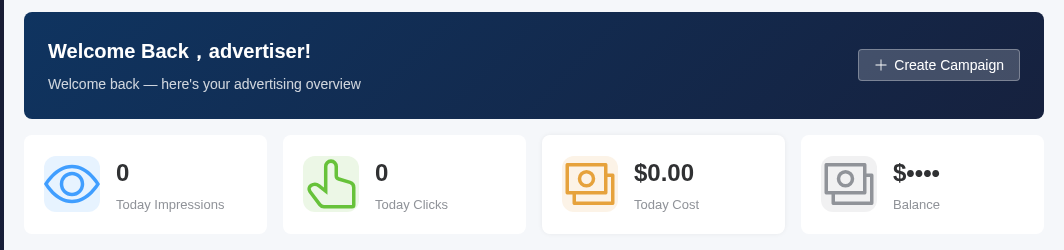
The advertiser dashboard shows today's impressions, clicks and cost, plus your account balance, right after you sign in. Below the cards you will find a 7-day trend chart and a top-campaigns list, and the Create Campaign button at the top takes you straight to the new-campaign page.
See Create a Campaign for the detailed walkthrough.
Publishers: start in 3 steps
- Add a site — submit your website domain or app info and wait for approval.
- Create an ad zone — open an ad slot on the site, choose the zone type and size, and set an eCPM floor price.
- Grab the code and embed it → track revenue — once the zone is approved, get the embed code, paste it into your page, and ads start showing and earning.
How revenue is calculated
Every valid impression / click / conversion generates revenue. The platform settles at a revenue-share ratio (70% to the publisher by default). Earnings first enter a "pending" state and become withdrawable once the hold period ends. See Settlement & Payouts.
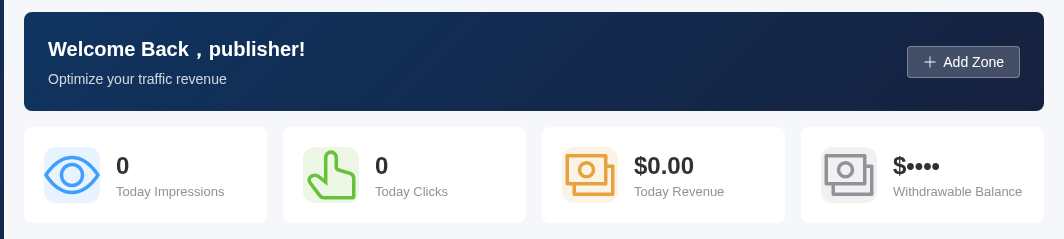
The publisher dashboard surfaces today's impressions, clicks and revenue, along with your withdrawable balance. Below the cards you will find a 7-day revenue trend chart and a top-zones list, and the Add Zone button at the top opens the new-zone page.
See Integration & Monetization for the detailed walkthrough.
What to read next
| I want to… | Go here |
|---|---|
| Understand core concepts and the data flow | Platform Overview |
| Create and launch a campaign | Create a Campaign |
| See the sizes and use cases of each ad format | Ad Formats |
| Fit every size and language with one creative set | Responsive Ads |
| Fine-grained targeting and per-dimension bidding | Targeting & Bidding |
| Track conversion performance | Conversion Tracking |
| Integrate ads and reporting via code | SDK Docs |