
Media Library
The media library is the single place your creative assets live. Upload an image once, and it's available to every ad, responsive ad and template you build afterwards — you never upload the same logo twice.
Open it from File library at the top right of the Creatives page in the advertiser console; every picker (new creative, responsive ad, template) can open it directly too.
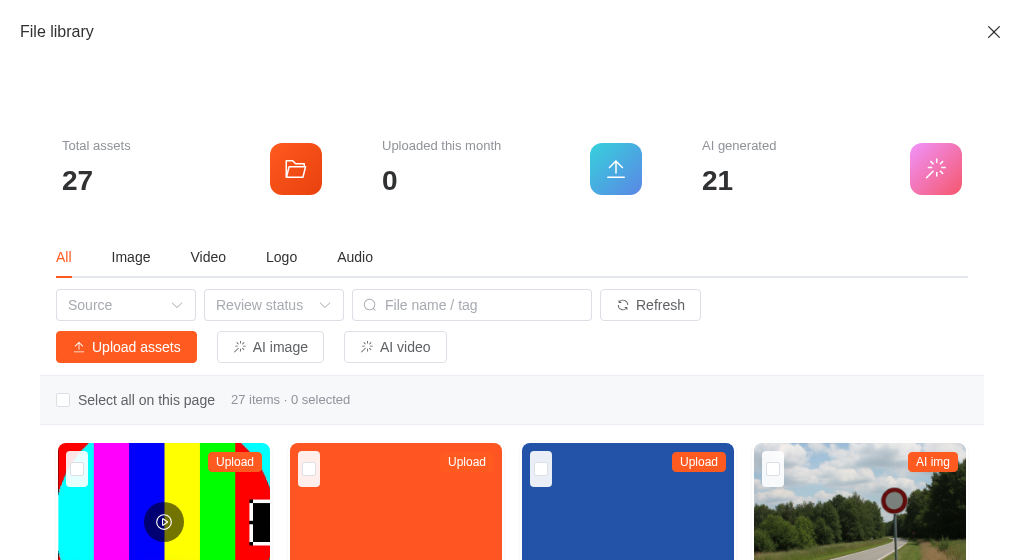
What's in it
Assets are grouped by kind — Image, Video, Logo, Audio — and tagged with where they came from: uploaded by you, generated with AI, or imported. Each asset also carries a review status, because assets are reviewed before they can serve.
You can filter by kind, source and review status, and search by file name.
Tags are for you, not for search
You can add free-text tags to an asset from its detail panel. Search matches the file name only, so if you want to find something by typing, name it well when you upload it.
Uploading
Drop in one file or several at once. Uploads are checked for size and format; renaming a file doesn't get around it.
Size limits
| Kind | Max size |
|---|---|
| Image / Logo | 10 MB |
| Video | 200 MB |
| Audio and everything else | 50 MB |
Accepted formats
| Kind | Formats |
|---|---|
| Image | JPEG, PNG, GIF, WebP |
| Logo | JPEG, PNG, WebP |
| Video | MP4, WebM, OGG, MOV |
| Audio | MP3, MP4, WAV, OGG, WebM |
Two format rules that surprise people
- SVG is not accepted, in any slot. An SVG can carry script, so it's rejected outright rather than sanitized.
- A logo cannot be an animated GIF. GIF is fine as a regular image, but the logo slot takes still formats only.
Uploading the same file twice does nothing: assets are de-duplicated by content, so a re-upload just points at the copy you already have.
Using an asset
Anywhere a creative needs an image or a video, the picker opens onto this library. That's the same picker in all three places:
- Normal creatives — the main image, image set, icon or video.
- Responsive ads — the logo and the asset pool the platform renders from.
- Template ads — any
imageorimage_arrayfield on a template.
Review
Assets are reviewed by the platform. An asset that hasn't been approved yet can be picked and saved into a creative, but the creative it belongs to won't serve until the review passes. This is the same review pipeline that covers ads and campaigns.
Deleting
Deleting is blocked while an asset is still in use by an ad or creative — the request is rejected rather than quietly breaking a live ad. Detach it from whatever references it, then delete.
Deleted assets disappear from your library; existing references stay intact.
Related reading
- AI Creatives — generate images and video straight into this library
- Template Ads
- Responsive Ads